

Every project generated by Fimo comes with a complete codebase you can explore directly in the browser.
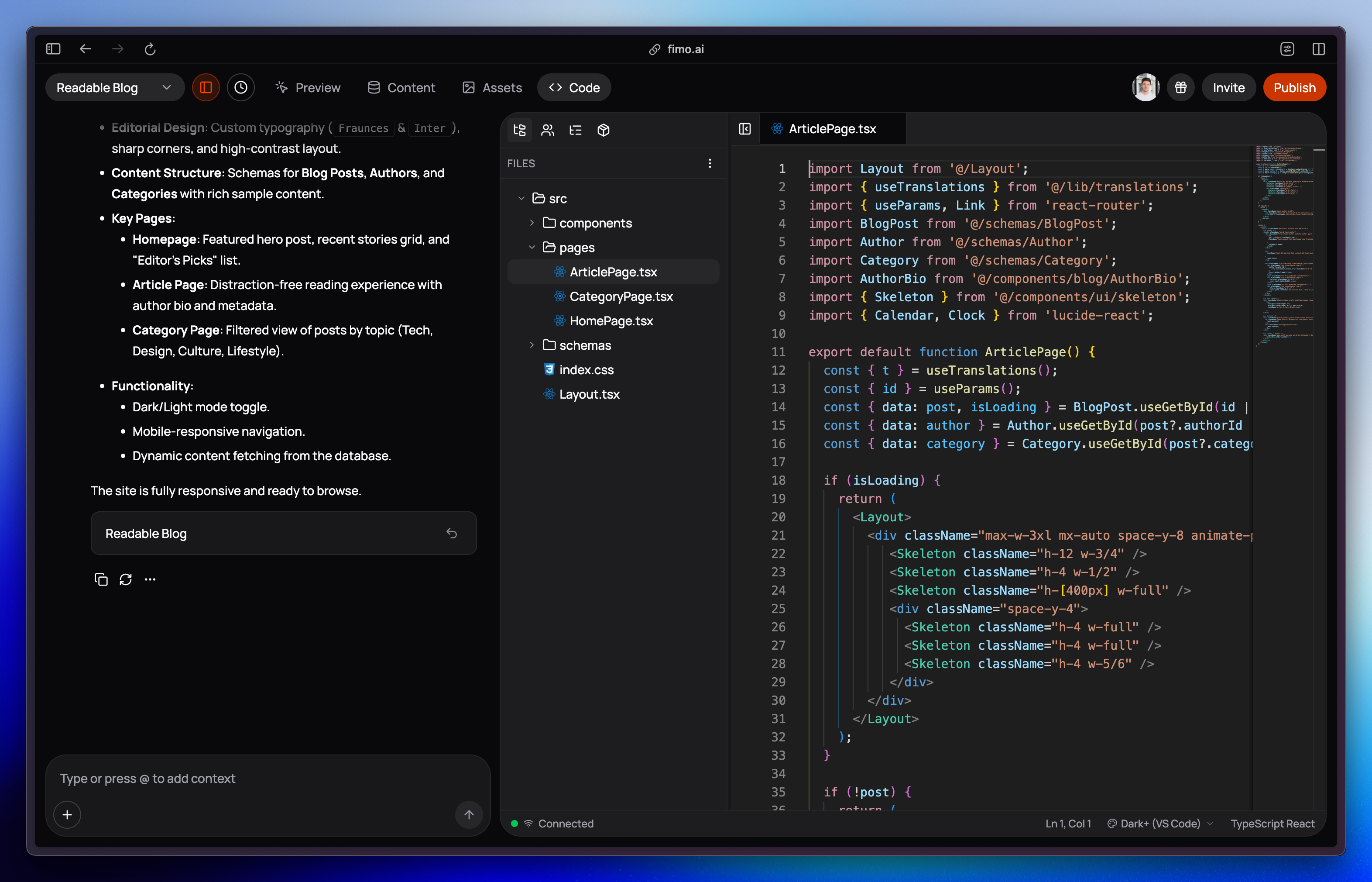
Key features
- View code: browse the files and understand how your site is structured
- Edit code: make changes directly in the online editor, no setup needed
- Delete code: remove files you no longer need
- Real-time updates: edits are applied instantly in Preview so you can test changes right away
Why it matters?
Transparency
See the exact code generated by Fimo.
Full control
Edit or delete code to customize your site.
Instant feedback
Preview updates as soon as you save changes.
No setup required
Everything runs in the browser, no local environment needed.
The code is yours. Fimo generates it, but you own it. Your project’s codebase is fully editable and under your control.
Workflow at a glance
What’s next?
Edit online
Make changes to your code directly in the browser editor.
Sync with GitHub
Coming soon: connect your project to GitHub for version control and collaboration.